
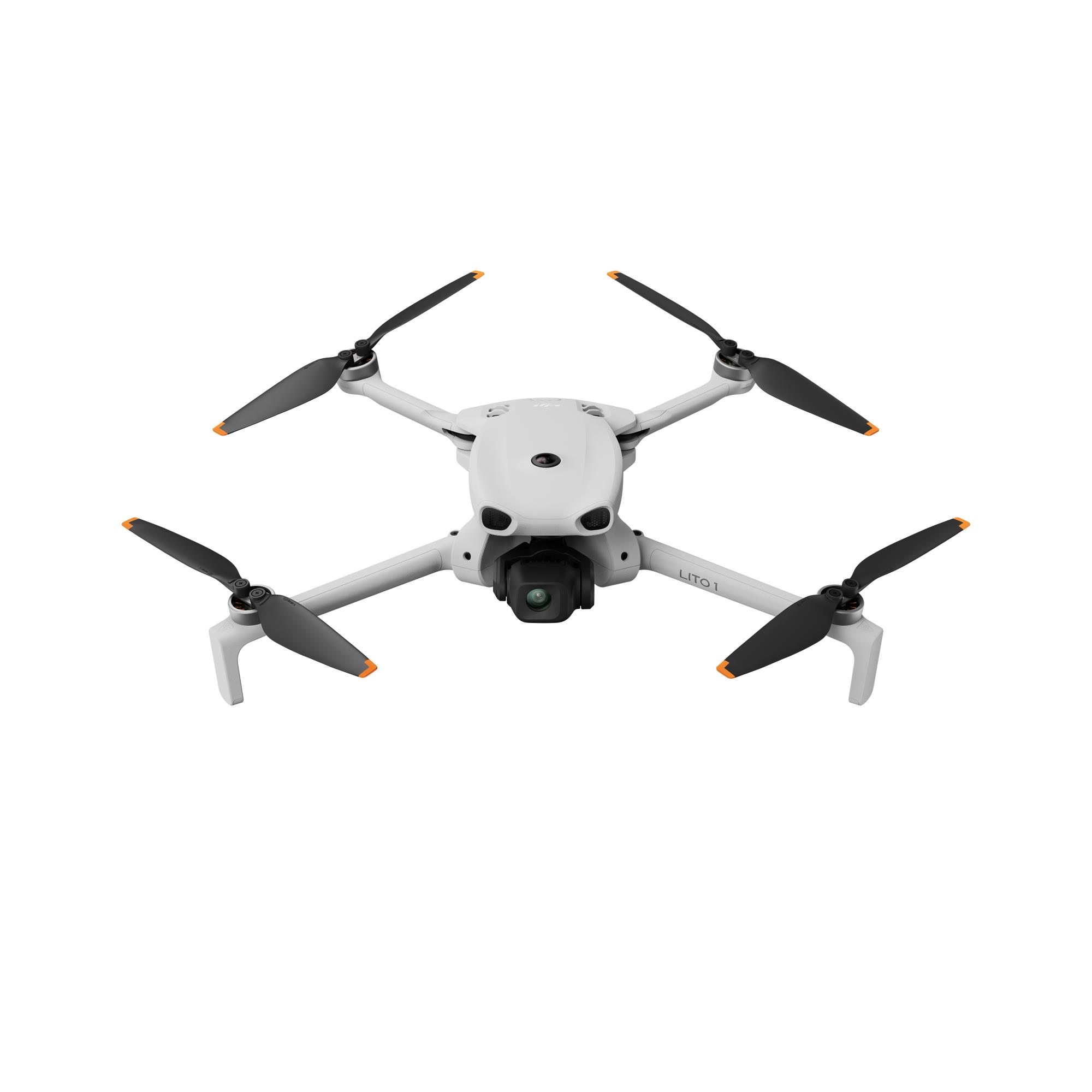
Action Cameras
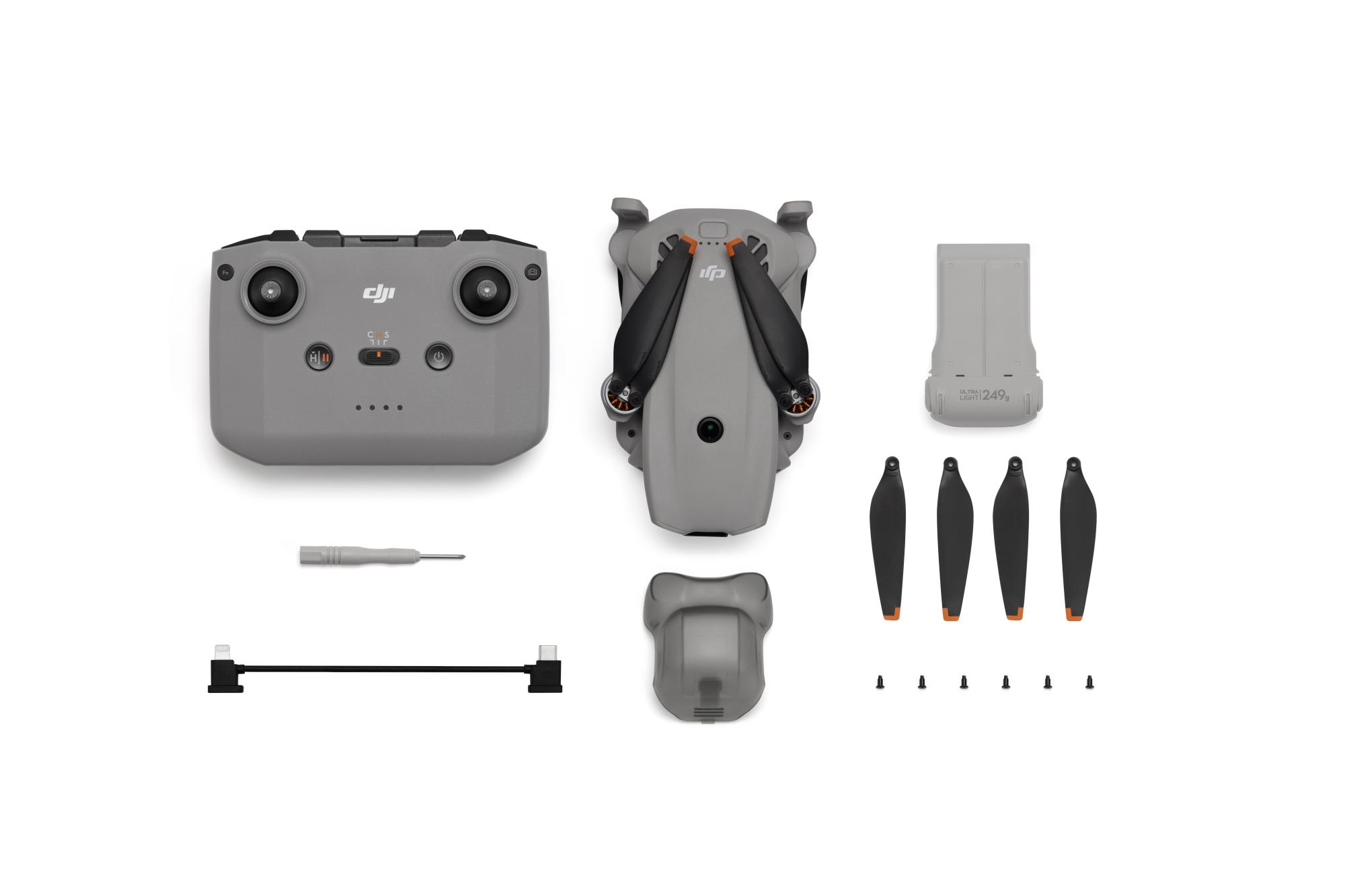
The omnidirectional vision system only assists flight safety under certain conditions and is not a substitute for your own judgment and control. During a flight, always pay attention to the surrounding environment and the warnings on the DJI Fly app, and be responsible for and maintain control of the drone at all times. When GNSS signals are unavailable, the optimal positioning altitude range for using the vision positioning system is 0.5 to 30 m. The vision positioning performance may decrease when flying beyond this range. Fly with caution. The vision system may not function properly when the drone is flying over water, which may prevent it from actively avoiding water surfaces below when landing. Operators should maintain control of the drone at all times, make operational decisions based on an assessment of the surrounding environment, and avoid relying solely on the vision system. The vision system cannot detect certain objects or surfaces, including large structures with frames and cables (e.g., tower cranes, high-voltage transmission towers, high-voltage transmission lines, cable-stayed bridges); surfaces with no texture or sparse texture; surfaces with repetitive identical patterns or textures (e.g., small tiles of the same color); solid-colored surfaces (e.g., pure black, pure white, pure red, pure green); strongly reflective or mirrored surfaces (e.g., ice, road signs); water or transparent surfaces; surfaces of moving objects (e.g., above moving crowds, above waving shrubs or grass); moving obstacles (e.g., walking people, moving vehicles); scenes with drastic lighting changes; surfaces that are extremely dark (e.g., less than 1 lux) or extremely bright (e.g., more than 100,000 lux); materials with strong infrared absorption or reflection properties (e.g., mirrors, glass, road signs, asphalt); small obstacles (e.g., fences, branches, power lines); and thin poles or small vertical objects (e.g., utility poles, street lamps). Do not obstruct or interfere with the sensing system under any circumstances. Ensure that all lenses remain clear, free from dirt, smudges, or other contaminants, and are not scratched. Vision system cameras may need to be calibrated after being stored for an extended period. A prompt will appear in the DJI Fly app and calibration will be performed automatically. Do not fly when it is rainy, smoggy, or the visibility is lower than 100 m. Before takeoff, inspect the sensing system's glass surfaces. Remove any protective film, stickers, or other obstructions. If water droplets, fingerprints, or smudges are present, clean the glass using a lint-free cloth. Do not use alcohol or other organic solvents. If the glass surface is loose, broken, scratched, or worn, send the drone to an authorized service center for repair. Refer to the product's user manual for more details. The omnidirectional vision system only assists flight safety under certain conditions and is not a substitute for your own judgment and control. During a flight, always pay attention to the surrounding environment and the warnings on the DJI Fly app, and be responsible for and maintain control of the drone at all times. When GNSS signals are unavailable, the optimal positioning altitude range for using the vision positioning system is 0.5 to 30 m. The vision positioning performance may decrease when flying beyond this range. Fly with caution. The vision system may not function properly when the drone is flying over water, which may prevent it from actively avoiding water surfaces below when landing. Operators should maintain control of the drone at all times, make operational decisions based on an assessment of the surrounding environment, and avoid relying solely on the vision system. The vision system cannot detect certain objects or surfaces, including large structures with frames and cables (e.g., tower cranes, high-voltage transmission towers, high-voltage transmission lines, cable-stayed bridges); surfaces with no texture or sparse texture; surfaces with repetitive identical patterns or textures (e.g., small tiles of the same color); solid-colored surfaces (e.g., pure black, pure white, pure red, pure green); strongly reflective or mirrored surfaces (e.g., ice, road signs); water or transparent surfaces; surfaces of moving objects (e.g., above moving crowds, above waving shrubs or grass); moving obstacles (e.g., walking people, moving vehicles); scenes with drastic lighting changes; surfaces that are extremely dark (e.g., less than 1 lux) or extremely bright (e.g., more than 100,000 lux); materials with strong infrared absorption or reflection properties (e.g., mirrors, glass, road signs, asphalt); small obstacles (e.g., fences, branches, power lines); and thin poles or small vertical objects (e.g., utility poles, street lamps). Do not obstruct or interfere with the sensing system under any circumstances. Ensure that all lenses remain clear, free from dirt, smudges, or other contaminants, and are not scratched. Vision system cameras may need to be calibrated after being stored for an extended period. A prompt will appear in the DJI Fly app and calibration will be performed automatically. Do not fly when it is rainy, smoggy, or the visibility is lower than 100 m. Before takeoff, inspect the sensing system's glass surfaces. Remove any protective film, stickers, or other obstructions. If water droplets, fingerprints, or smudges are present, clean the glass using a lint-free cloth. Do not use alcohol or other organic solvents. If the glass surface is loose, broken, scratched, or worn, send the drone to an authorized service center for repair. Refer to the product's user manual for more details. 2. ActiveTrack can work properly only when certain flight conditions are met. See Footnote 1 to ensure the omnidirectional vision system is normal and avoid flying in the following environments or conditions: DO NOT fly in severe weather conditions, such as in strong winds (wind speed of more than 10.7 m/s), snow, rain, lightning, or fog. DO NOT fly the drone 4500 m or higher above sea level. DO NOT fly the drone in environments where the temperature is below 0° C (32° F) or above 40° C (104° F). DO NOT take off from moving objects, such as cars or boats. DO NOT fly close to reflective surfaces such as water or snow. Otherwise, the vision system may not work correctly. The vision system may not work properly in dim environments. Always fly with caution and prevent the drone from entering Attitude mode. DO NOT fly near areas with magnetic or radio interference. Common magnetic or radio interference sources include Wi-Fi hotspots, routers, Bluetooth devices, high-voltage lines, large-scale power transmission stations, radar stations, mobile base stations, and broadcasting towers. Avoid sand entering the drone when taking off in desert or beach areas. Fly the drone in open areas away from crowds. Buildings, mountains, and trees may block the GNSS signal and affect the onboard compass. Standard video recording supports up to 4K/60fps, and slow-motion video recording supports up to 4K/100fps. Photo resolution can reach up to 8K (48 MP). When the resolution is 8K (48 MP), SmartPhoto is unavailable. When the resolution is 4K (12 MP), SmartPhoto can be automatically enabled to apply algorithmic beautification. The actual product weight may vary due to differences in batch materials and external factors. Training or examination is not required for flying this product in most countries and regions. With the Intelligent Flight Battery Plus, the aircraft will weigh more than 249 g. Always check local laws and regulations before use. Using the Intelligent Flight Battery, the maximum flight time is 36 minutes. This is measured in a controlled wind tunnel environment under conditions equivalent to windless operation and sea-level altitude, with the drone flying forward at a constant speed of 21.6 kph, Obstacle Avoidance Action set to Brake and in photo mode, until forced landing due to battery depletion. The Intelligent Flight Battery Plus extends the flight time to 52 minutes when flying forward at a constant speed of 21.6 kph. However, the Intelligent Flight Battery Plus is not included in the combo. If needed, purchase it separately. Please note that the Intelligent Flight Battery Plus is not supported by this product in the EU or the UK. Always comply with local laws and regulations before flying. Measured in an open outdoor environment without interference and with IC compliance. The above data shows the farthest communication range for one-way, non-return flights. Always pay attention to RTH reminders in the DJI Fly app during your flight.
Kods: CP.MA.00000990
| Cena | Skaits | Piegāde | |
|---|---|---|---|
400.36 € 330.88 € (bez PVN 21%) | 17 LVEO | 23.10. |
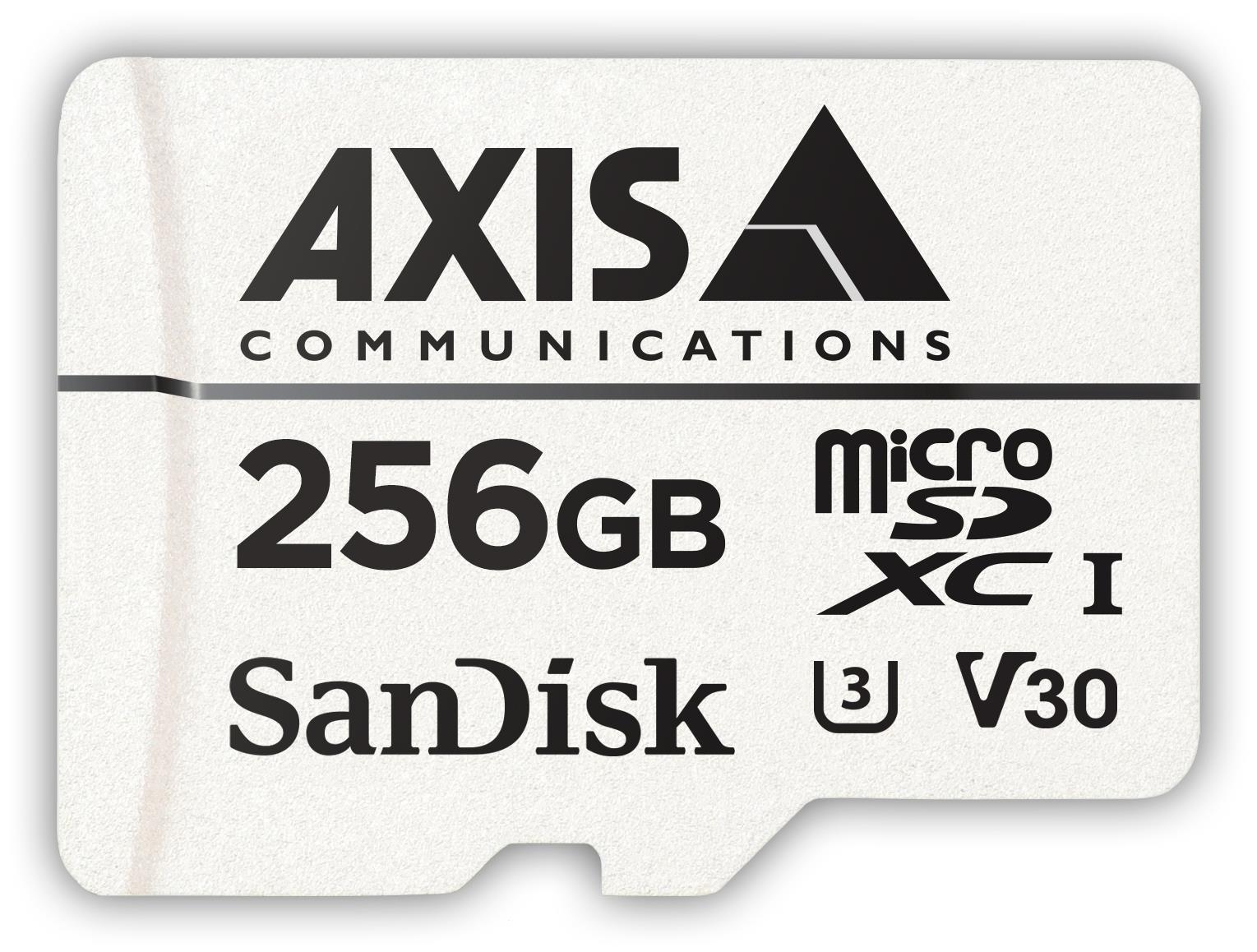
Flash memory Cards & Readers
AXIS Surveillance Card 256 GB is a high performing edge storage solution optimized for video surveillance. Edge storage enables flexible storage solutions such as de-centralized video recording and may eliminate the need of an onsite server, DVR or NVR. In applications with bandwidth limitations, live video can be viewed in low resolution, while high resolution video is recorded locally on AXIS Surveillance Card 256 GB. Combined with Axis Zipstream technology, even high resolution video can be recorded effectively local on AXIS Surveillance Card 256 GB, both for primary storage or as redundancy for failover recording in case of lost connections.Axis 3-year warranty; Health monitoring ready; Optimized for surveillance cameras; SD card adapter included
Kods: 02021-001
| Cena | Skaits | Piegāde | |
|---|---|---|---|
442.59 € 365.78 € (bez PVN 21%) | 3 LVEO | 23.10. |
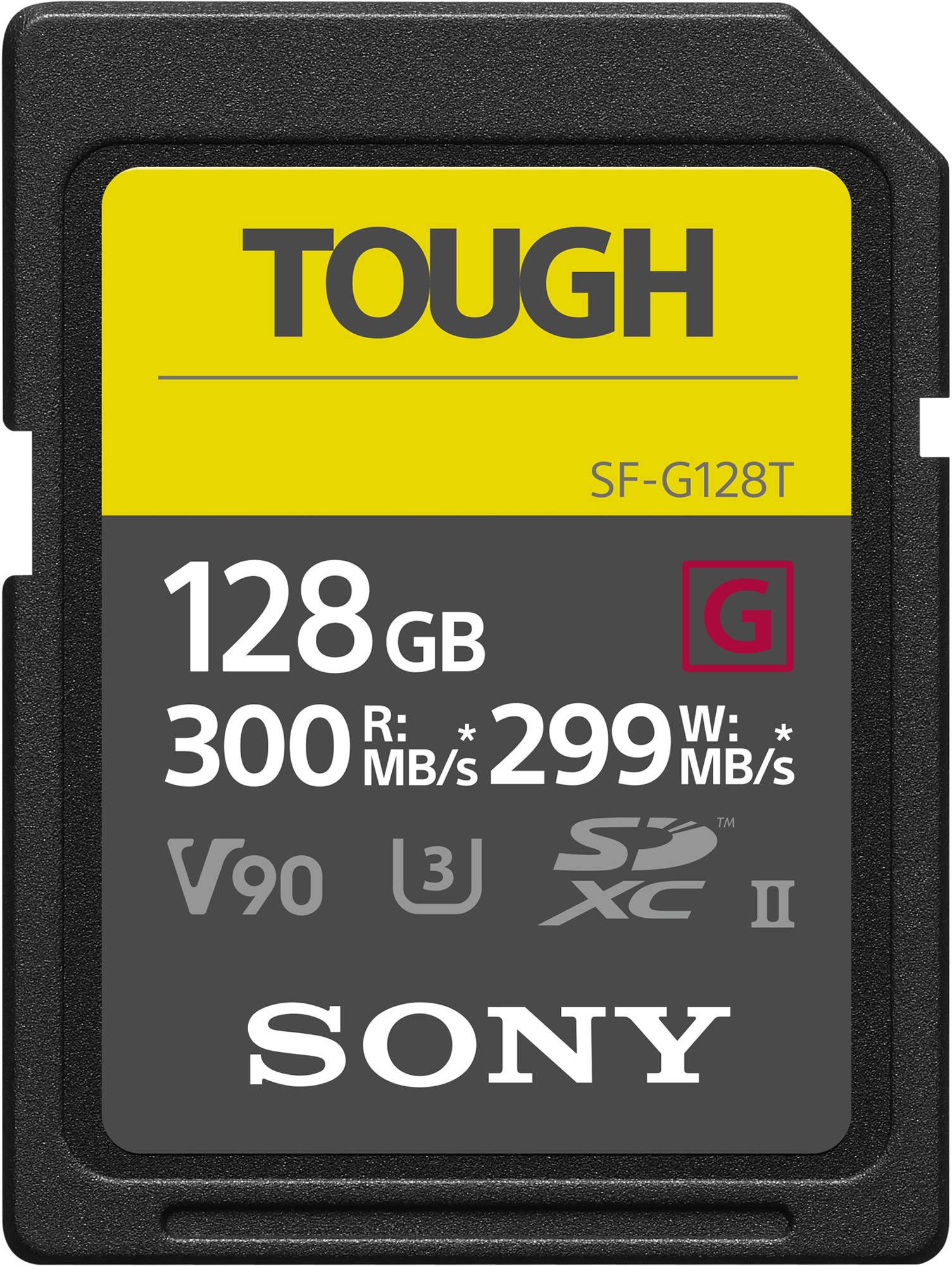
Flash memory Cards & Readers
U3, V90
Kods: SFG128T.SYM
| Cena | Skaits | Piegāde | |
|---|---|---|---|
443.10 € 366.20 € (bez PVN 21%) | 4 LTAE | 26.10. |
| Cena | Skaits | Piegāde | |
|---|---|---|---|
463.31 € 382.90 € (bez PVN 21%) | 13 LVEO | 23.10. |
Flash memory Cards & Readers
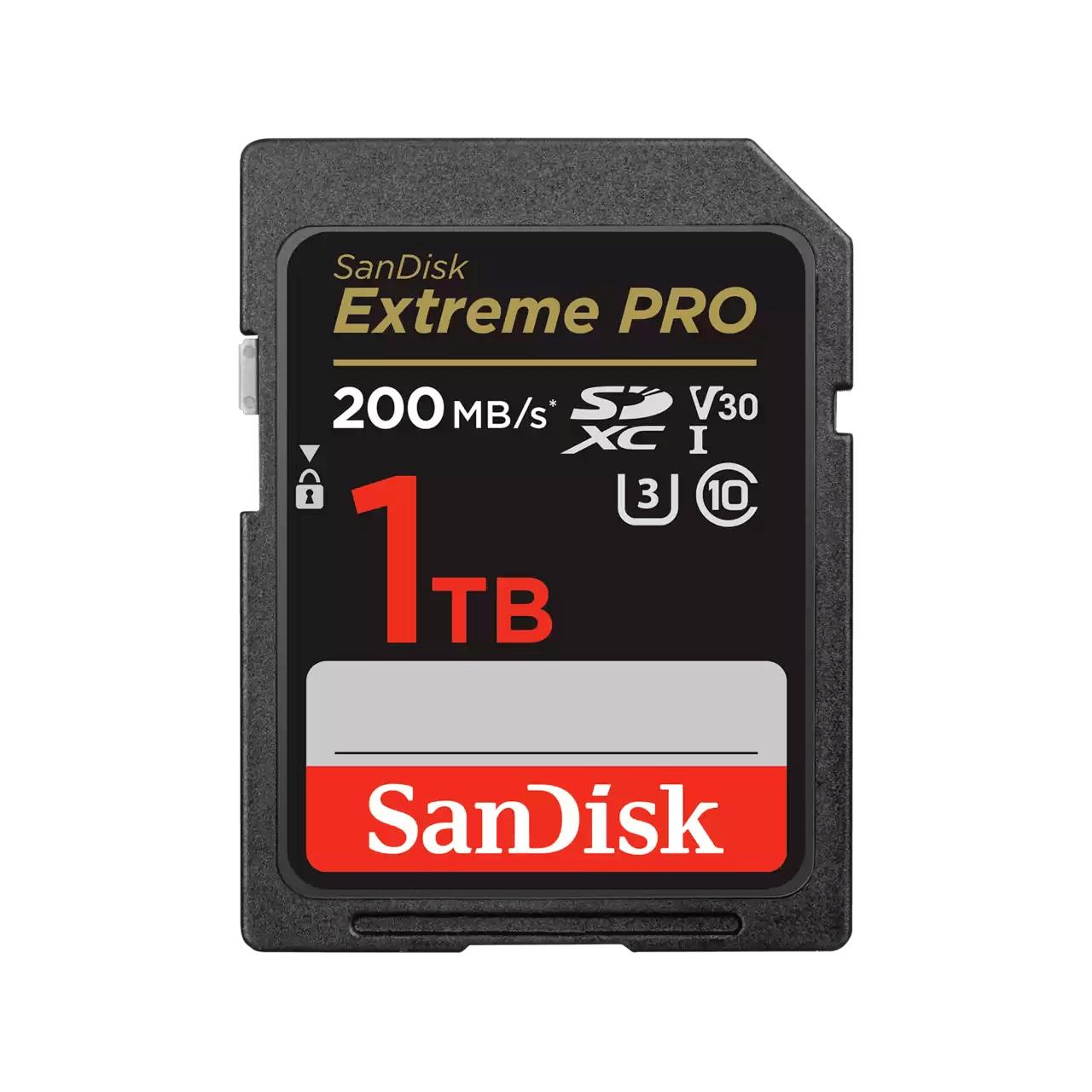
Improve your workflow efficiencyWith SanDisk® QuickFlow™ Technology7, this card optimizes performance for timesaving media offloads with quick transfer speeds up to 200MB/s6 (64GB - 1TB). Pair with the SanDisk® Professional PRO-READER SD and microSD™ to achieve maximum speeds (sold separately).Shot speeds up to 140MB/sWith shot speeds up to 140MB/s6 the card is perfect for capturing the action as it happens, without missing a beat.Perfect for 4K UHD videoSometimes speed is what you need. The SanDisk Extreme PRO® SD™ UHS-I card delivers the performance to capture stunning, uninterrupted 4K UHD video1.Stunning sequential burst mode shotsRated UHS Speed Class 3 (U3) and Video Speed Class 30 (V30)2, the SanDisk Extreme PRO® SD™ UHS-I card lets you capture sequential burst mode shots without missing a beat.Durability you can count onBuilt for and tested in harsh conditions3, the SanDisk Extreme PRO® SD™ UHS-I card is temperature-proof, waterproof, shock-proof, and x-ray-proof.Recover images you accidentally deletedIncludes an offer for RescuePRO® Deluxe 2 year data recovery software4, which lets you restore images you accidentally deleted./Improve your workflow efficiencyWith SanDisk® QuickFlow™ Technology7, this card optimizes performance for timesaving media offloads with quick transfer speeds up to 200MB/s6 (64GB - 1TB). Pair with the SanDisk® Professional PRO-READER SD and microSD™ to achieve maximum speeds (sold separately).Shot speeds up to 140MB/sWith shot speeds up to 140MB/s6 the card is perfect for capturing the action as it happens, without missing a beat.Perfect for 4K UHD videoSometimes speed is what you need. The SanDisk Extreme PRO® SD™ UHS-I card delivers the performance to capture stunning, uninterrupted 4K UHD video1.Stunning sequential burst mode shotsRated UHS Speed Class 3 (U3) and Video Speed Class 30 (V30)2, the SanDisk Extreme PRO® SD™ UHS-I card lets you capture sequential burst mode shots without missing a beat.Durability you can count onBuilt for and tested in harsh conditions3, the SanDisk Extreme PRO® SD™ UHS-I card is temperature-proof, waterproof, shock-proof, and x-ray-proof.Recover images you accidentally deletedIncludes an offer for RescuePRO® Deluxe 2 year data recovery software4, which lets you restore images you accidentally deleted.
Kods: SDSDXXD-1T00-GN4IN
| Cena | Skaits | Piegāde | |
|---|---|---|---|
475.18 € 392.71 € (bez PVN 21%) | 2 LVEO | 23.10. |
| Cena | Skaits | Piegāde | |
|---|---|---|---|
486.47 € 402.04 € (bez PVN 21%) | 15 LVEO | 31.10. |
Action Camera Accessories
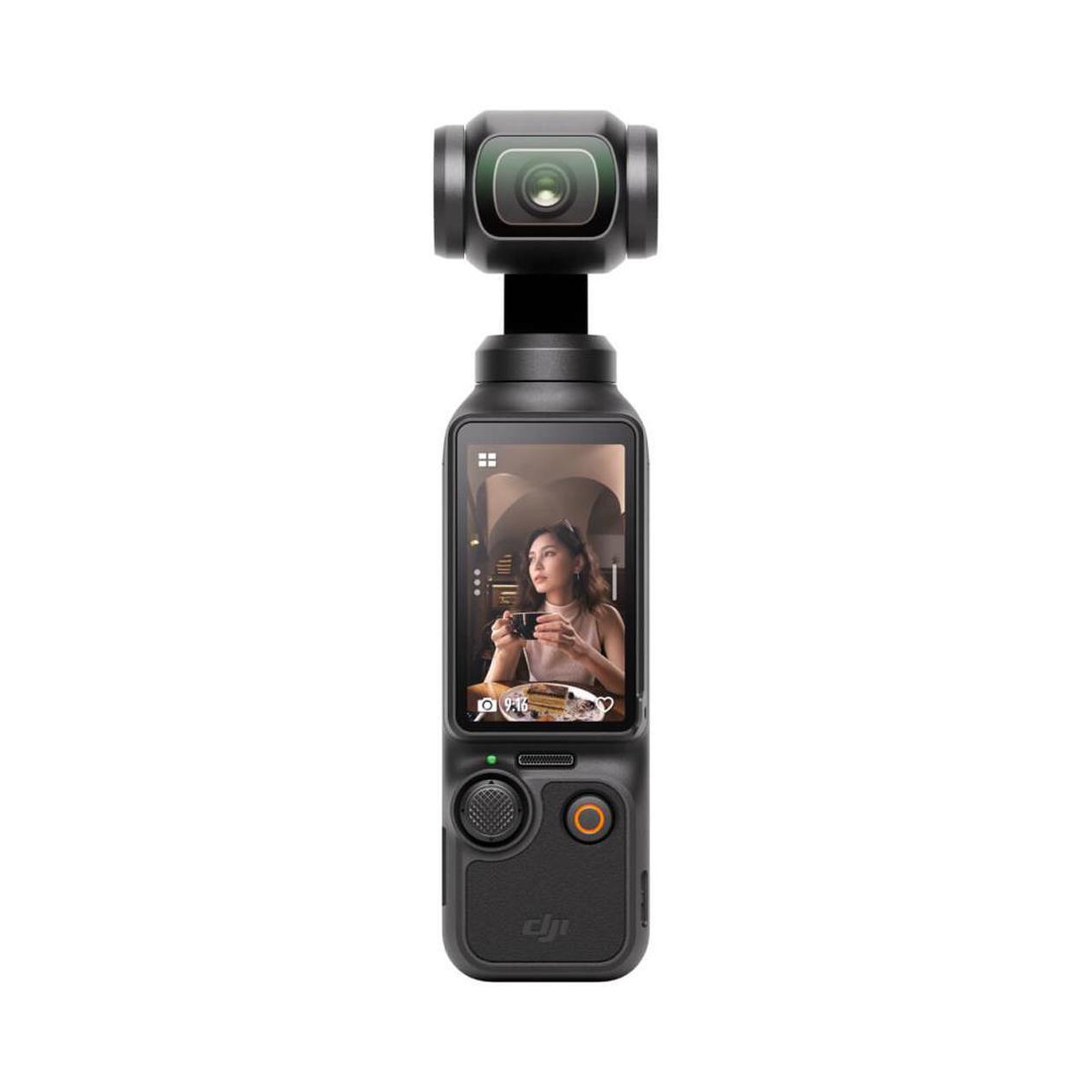
DJI , Osmo Pocket 3 Standard Combo Camera , Black , Wi-Fi
Kods: 1404605
| Cena | Skaits | Piegāde | |
|---|---|---|---|
503.55 € 416.16 € (bez PVN 21%) | 3 LTAE | 26.10. |
Action Cameras
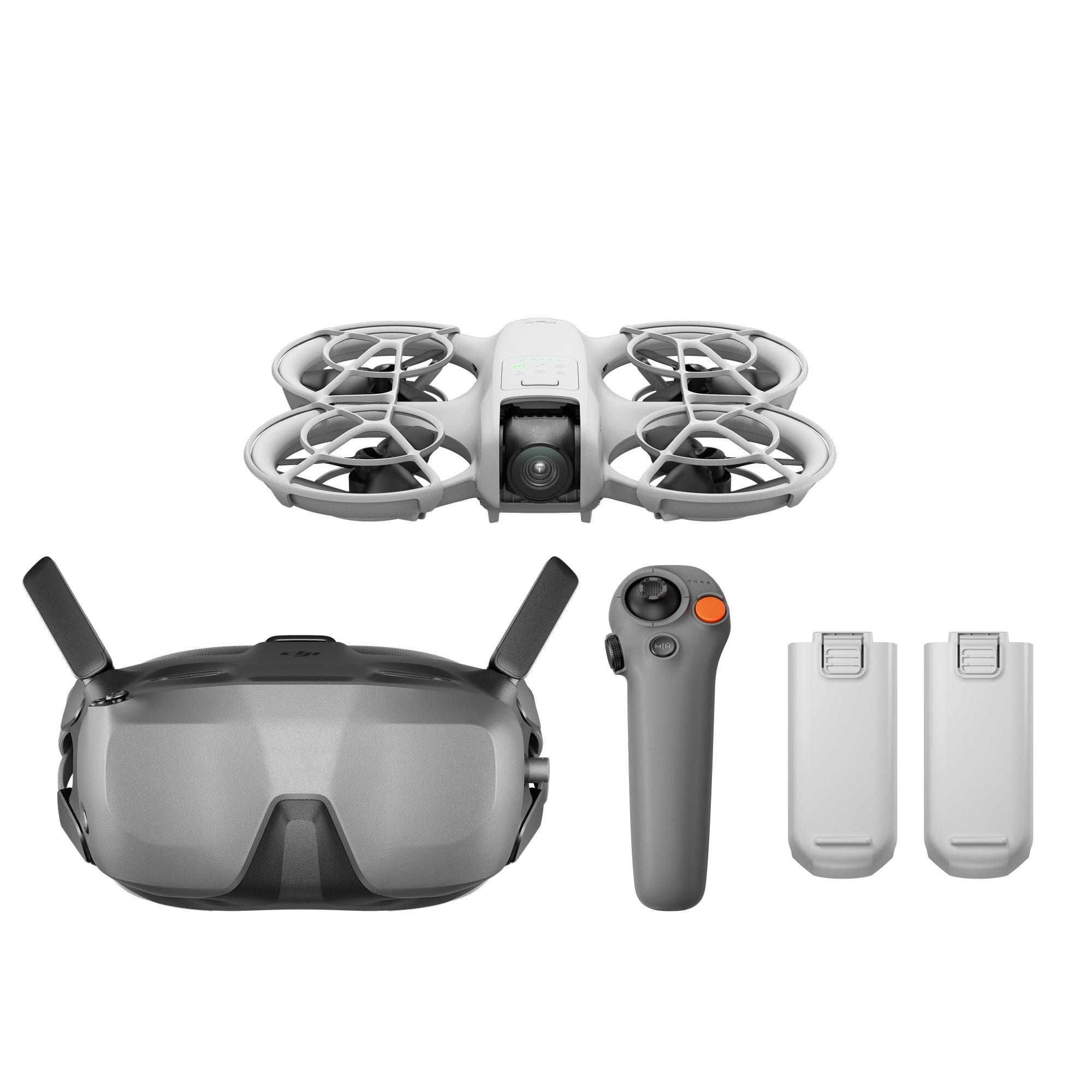
Used with DJI Neo to achieve immersive flight in first-person view.When used with DJI RC Motion 3, you can treat RC Motion 3 as an AR cursor to navigate the menu on the goggles\' screen. Users can navigate the goggles menu with RC Motion 3 instead of using the goggles\' 5D button or touch panel, streamlining the operation process. Mouse-like selection greatly enhances efficiency over button navigation.The interactive beginner tutorial is designed based on real flight operations, reducing the learning curve for users and enabling them to quickly get started.The headband and battery are combined into one unit. This not only balances the overall weight distribution but also optimizes the wearing experience.New one-tap defogging feature to enhance visibility. When fog builds up on the surface of the goggles\' lenses, activating this feature will cause the internal fans to briefly accelerate to their highest speed, allowing rapid air circulation to clear away the condensation.
Kods: CP.FP.00000186
| Cena | Skaits | Piegāde | |
|---|---|---|---|
521.22 € 430.76 € (bez PVN 21%) | 11 LVEO | 23.10. |
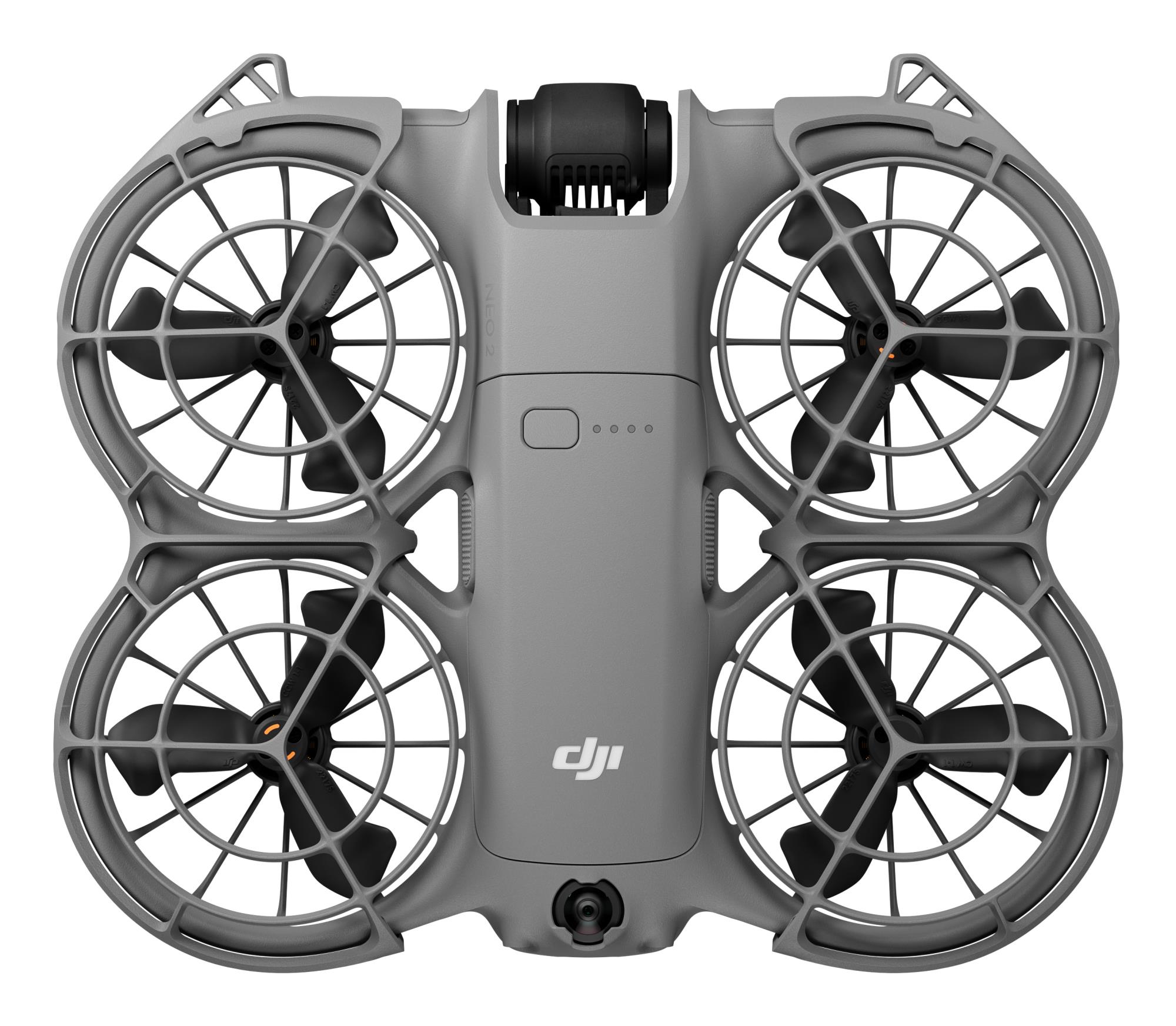
Action Cameras
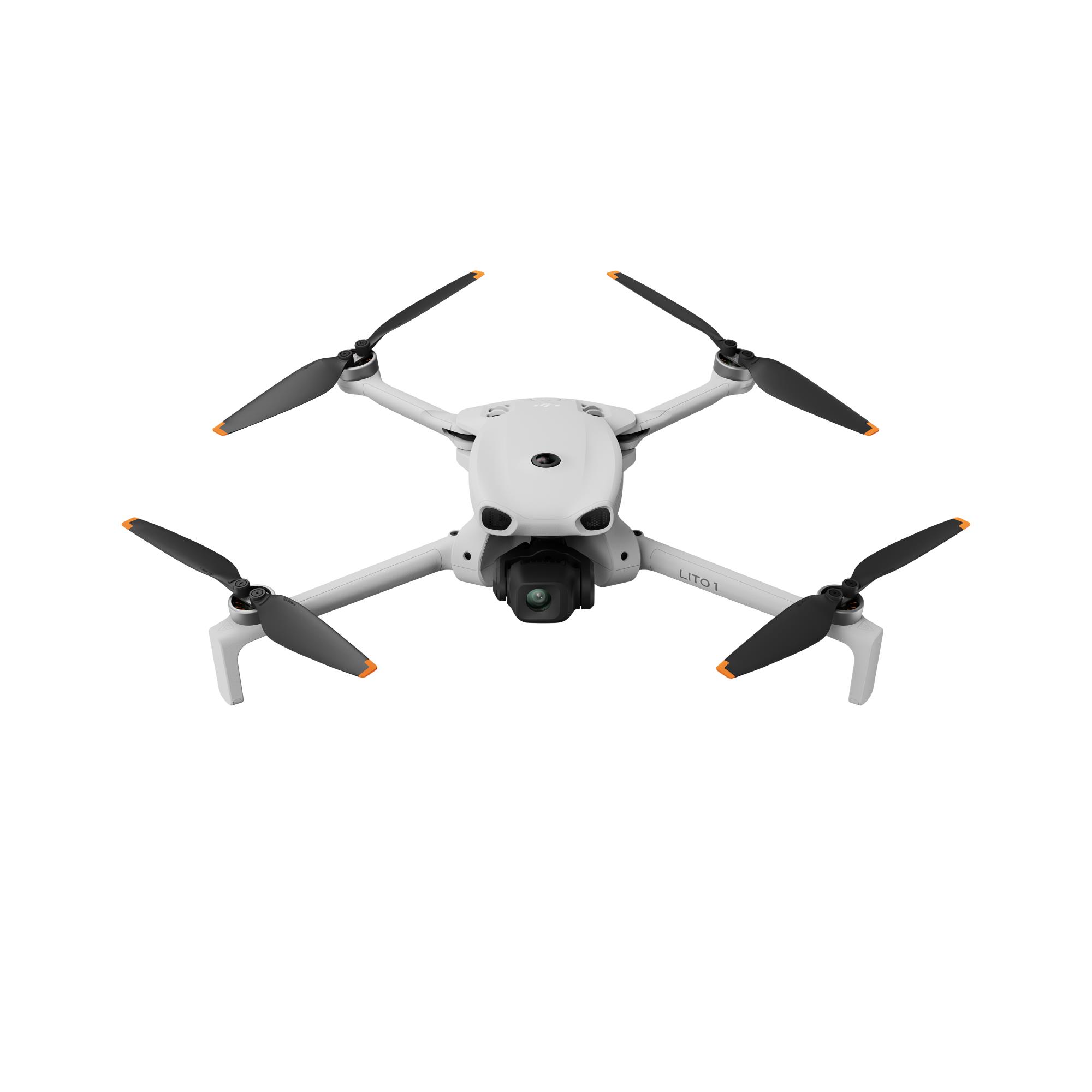
The omnidirectional vision system only assists flight safety under certain conditions and is not a substitute for your own judgment and control. During a flight, always pay attention to the surrounding environment and the warnings on the DJI Fly app, and be responsible for and maintain control of the drone at all times. When GNSS signals are unavailable, the optimal positioning altitude range for using the vision positioning system is 0.5 to 30 m. The vision positioning performance may decrease when flying beyond this range. Fly with caution. The vision system may not function properly when the drone is flying over water, which may prevent it from actively avoiding water surfaces below when landing. Operators should maintain control of the drone at all times, make operational decisions based on an assessment of the surrounding environment, and avoid relying solely on the vision system. The vision system cannot detect certain objects or surfaces, including large structures with frames and cables (e.g., tower cranes, high-voltage transmission towers, high-voltage transmission lines, cable-stayed bridges); surfaces with no texture or sparse texture; surfaces with repetitive identical patterns or textures (e.g., small tiles of the same color); solid-colored surfaces (e.g., pure black, pure white, pure red, pure green); strongly reflective or mirrored surfaces (e.g., ice, road signs); water or transparent surfaces; surfaces of moving objects (e.g., above moving crowds, above waving shrubs or grass); moving obstacles (e.g., walking people, moving vehicles); scenes with drastic lighting changes; surfaces that are extremely dark (e.g., less than 1 lux) or extremely bright (e.g., more than 100,000 lux); materials with strong infrared absorption or reflection properties (e.g., mirrors, glass, road signs, asphalt); small obstacles (e.g., fences, branches, power lines); and thin poles or small vertical objects (e.g., utility poles, street lamps). Do not obstruct or interfere with the sensing system under any circumstances. Ensure that all lenses remain clear, free from dirt, smudges, or other contaminants, and are not scratched. Vision system cameras may need to be calibrated after being stored for an extended period. A prompt will appear in the DJI Fly app and calibration will be performed automatically. Do not fly when it is rainy, smoggy, or the visibility is lower than 100 m. Before takeoff, inspect the sensing system's glass surfaces. Remove any protective film, stickers, or other obstructions. If water droplets, fingerprints, or smudges are present, clean the glass using a lint-free cloth. Do not use alcohol or other organic solvents. If the glass surface is loose, broken, scratched, or worn, send the drone to an authorized service center for repair. Refer to the product's user manual for more details. The omnidirectional vision system only assists flight safety under certain conditions and is not a substitute for your own judgment and control. During a flight, always pay attention to the surrounding environment and the warnings on the DJI Fly app, and be responsible for and maintain control of the drone at all times. When GNSS signals are unavailable, the optimal positioning altitude range for using the vision positioning system is 0.5 to 30 m. The vision positioning performance may decrease when flying beyond this range. Fly with caution. The vision system may not function properly when the drone is flying over water, which may prevent it from actively avoiding water surfaces below when landing. Operators should maintain control of the drone at all times, make operational decisions based on an assessment of the surrounding environment, and avoid relying solely on the vision system. The vision system cannot detect certain objects or surfaces, including large structures with frames and cables (e.g., tower cranes, high-voltage transmission towers, high-voltage transmission lines, cable-stayed bridges); surfaces with no texture or sparse texture; surfaces with repetitive identical patterns or textures (e.g., small tiles of the same color); solid-colored surfaces (e.g., pure black, pure white, pure red, pure green); strongly reflective or mirrored surfaces (e.g., ice, road signs); water or transparent surfaces; surfaces of moving objects (e.g., above moving crowds, above waving shrubs or grass); moving obstacles (e.g., walking people, moving vehicles); scenes with drastic lighting changes; surfaces that are extremely dark (e.g., less than 1 lux) or extremely bright (e.g., more than 100,000 lux); materials with strong infrared absorption or reflection properties (e.g., mirrors, glass, road signs, asphalt); small obstacles (e.g., fences, branches, power lines); and thin poles or small vertical objects (e.g., utility poles, street lamps). Do not obstruct or interfere with the sensing system under any circumstances. Ensure that all lenses remain clear, free from dirt, smudges, or other contaminants, and are not scratched. Vision system cameras may need to be calibrated after being stored for an extended period. A prompt will appear in the DJI Fly app and calibration will be performed automatically. Do not fly when it is rainy, smoggy, or the visibility is lower than 100 m. Before takeoff, inspect the sensing system's glass surfaces. Remove any protective film, stickers, or other obstructions. If water droplets, fingerprints, or smudges are present, clean the glass using a lint-free cloth. Do not use alcohol or other organic solvents. If the glass surface is loose, broken, scratched, or worn, send the drone to an authorized service center for repair. Refer to the product's user manual for more details. 2. ActiveTrack can work properly only when certain flight conditions are met. See Footnote 1 to ensure the omnidirectional vision system is normal and avoid flying in the following environments or conditions: DO NOT fly in severe weather conditions, such as in strong winds (wind speed of more than 10.7 m/s), snow, rain, lightning, or fog. DO NOT fly the drone 4500 m or higher above sea level. DO NOT fly the drone in environments where the temperature is below 0° C (32° F) or above 40° C (104° F). DO NOT take off from moving objects, such as cars or boats. DO NOT fly close to reflective surfaces such as water or snow. Otherwise, the vision system may not work correctly. The vision system may not work properly in dim environments. Always fly with caution and prevent the drone from entering Attitude mode. DO NOT fly near areas with magnetic or radio interference. Common magnetic or radio interference sources include Wi-Fi hotspots, routers, Bluetooth devices, high-voltage lines, large-scale power transmission stations, radar stations, mobile base stations, and broadcasting towers. Avoid sand entering the drone when taking off in desert or beach areas. Fly the drone in open areas away from crowds. Buildings, mountains, and trees may block the GNSS signal and affect the onboard compass. Standard video recording supports up to 4K/60fps, and slow-motion video recording supports up to 4K/100fps. Photo resolution can reach up to 8K (48 MP). When the resolution is 8K (48 MP), SmartPhoto is unavailable. When the resolution is 4K (12 MP), SmartPhoto can be automatically enabled to apply algorithmic beautification. The actual product weight may vary due to differences in batch materials and external factors. Training or examination is not required for flying this product in most countries and regions. With the Intelligent Flight Battery Plus, the aircraft will weigh more than 249 g. Always check local laws and regulations before use. Using the Intelligent Flight Battery, the maximum flight time is 36 minutes. This is measured in a controlled wind tunnel environment under conditions equivalent to windless operation and sea-level altitude, with the drone flying forward at a constant speed of 21.6 kph, Obstacle Avoidance Action set to Brake and in photo mode, until forced landing due to battery depletion. The Intelligent Flight Battery Plus extends the flight time to 52 minutes when flying forward at a constant speed of 21.6 kph. However, the Intelligent Flight Battery Plus is not included in the combo. If needed, purchase it separately. Please note that the Intelligent Flight Battery Plus is not supported by this product in the EU or the UK. Always comply with local laws and regulations before flying. Measured in an open outdoor environment without interference and with IC compliance. The above data shows the farthest communication range for one-way, non-return flights. Always pay attention to RTH reminders in the DJI Fly app during your flight.
Kods: CP.MA.00000991
| Cena | Skaits | Piegāde | |
|---|---|---|---|
555.97 € 459.48 € (bez PVN 21%) | 10 LVEO | 23.10. |
Net Cameras
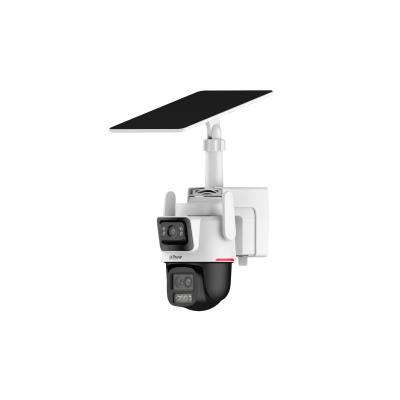
3+3MP WizColor Hybrid-zoom PT 4G Solar Power Network Camera > Displays videos in two channels at the same time > 1/2.8" 3Megapixel CMOS > WizColor technology > 6x hybrid zoom > Two-way talk > SMD3.0 > Siren and Light Active Deterrence > Auto Tracking Lite > Supports AOV mode > 4G Connection > Built-in 65Wh high-capacity ternary lithium battery, 8 W solar panel > Supports Type-C power supply QC2.0 > Supports manual adjustment of fixed lens (Vertical: -7° to 20°) > IP66 Focal Length: Fixed Lens: 2.8 mm; PT Lens: 3.6 mm; 8.4 mm; Field of View: Fixed Lens: 93.5°; PT Lens: 3.6 mm: 81.5°; 8.4 mm: 15.1°
Kods: PTS2649C-3E3Z-4GB20-PRO
| Cena | Skaits | Piegāde | |
|---|---|---|---|
580.56 € 479.80 € (bez PVN 21%) | 7 LVEO | 23.10. |
| Cena | Skaits | Piegāde | |
|---|---|---|---|
590.71 € 488.19 € (bez PVN 21%) | 5 LVEO | 23.10. |
Action Camera Accessories
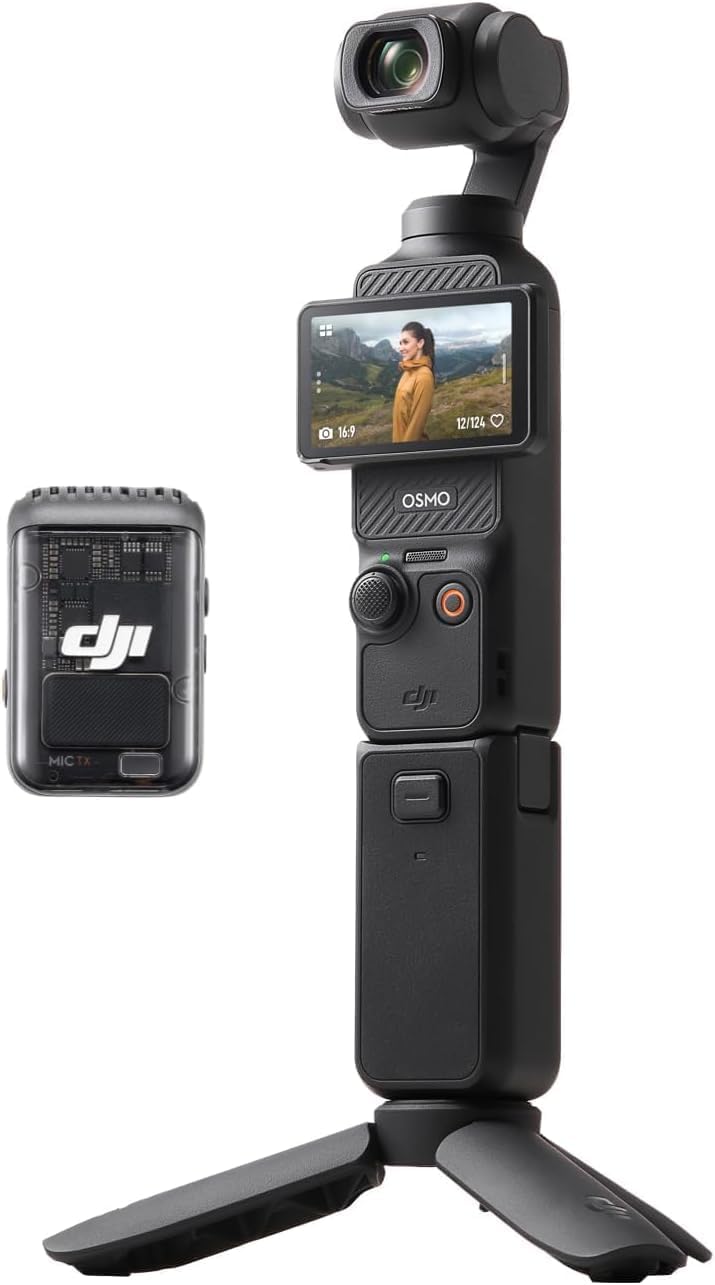
DJI , Action Camera Osmo Pocket 3 Creator Combo , Black , Touchscreen
Kods: 6941565969903
| Cena | Skaits | Piegāde | |
|---|---|---|---|
644.07 € 532.29 € (bez PVN 21%) | 1 LTAE | 26.10. |